
Password Security: Why Your Password Is Probably Too Weak

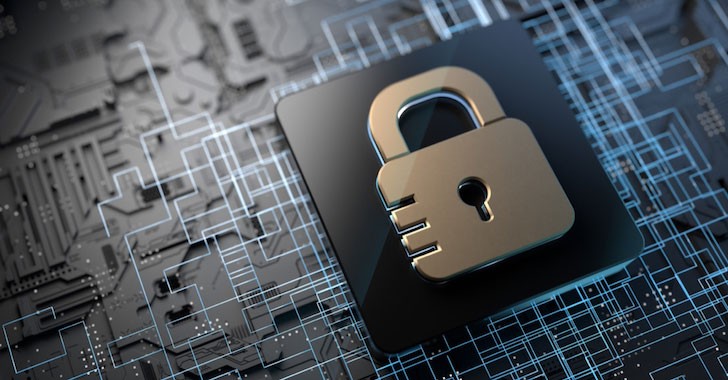
Password Security: Why Your Password Is Probably Too Weak

Passwords protect some of the most important parts of our digital lives. From bank accounts and emails to social media profiles and business systems, a single password often stands between your information and cybercriminals.
Yet many people still use passwords that can be guessed in seconds.
If your password contains your name, date of birth, phone number, or simple patterns like "123456" or "password," your accounts may be more vulnerable than you think.
Why Weak Passwords Are Dangerous
Cybercriminals do not usually try to guess passwords manually. Instead, they use automated tools capable of testing thousands or even millions of password combinations within a short period.
Weak passwords can expose:
- Personal emails
- Online banking accounts
- Social media accounts
- Business systems
- Customer information
- Cloud storage accounts
For businesses, a compromised password can result in financial loss, reputational damage, and operational disruption.
Signs Your Password May Be Too Weak
Your password may need improvement if it:
- Contains your name or nickname
- Includes your birthday or age
- Uses your phone number
- Uses simple sequences such as "123456" or "abcdef"
- Contains common words found in dictionaries
- Is shorter than 12 characters
- Is reused across multiple accounts
Even passwords that seem unique can sometimes be vulnerable if they follow predictable patterns.
What Makes a Strong Password?
Strong passwords are difficult for both humans and computers to guess.
A good password typically:
- Contains at least 12 to 16 characters
- Uses a combination of uppercase and lowercase letters
- Includes numbers and symbols where appropriate
- Avoids personal information
- Is unique for each account
For example, a long passphrase made up of unrelated words is often easier to remember and more secure than a short complex password.
Why Reusing Passwords Is Risky
Many people use the same password for multiple accounts because it is convenient.
Unfortunately, if one website suffers a data breach and your password becomes exposed, attackers may try the same credentials on your email, banking, and social media accounts.
This practice, known as credential stuffing, is one of the most common methods used in account takeovers.
Using different passwords for different services significantly reduces this risk.
The Benefits of Password Managers
Remembering dozens of unique passwords can be difficult.
Password managers help by:
- Generating strong passwords
- Storing credentials securely
- Automatically filling login forms
- Reducing password reuse
This allows users to maintain stronger security without relying on memory alone.
Enable Two-Factor Authentication
Even strong passwords benefit from additional protection.
Two-factor authentication (2FA) adds another verification step, such as:
- A code sent to your device
- An authentication application
- A hardware security key
This means that even if someone obtains your password, accessing your account becomes much more difficult.
How Businesses Can Improve Password Security
Organizations should encourage employees to follow security best practices, including:
- Using strong unique passwords
- Enabling multi-factor authentication
- Updating passwords when necessary
- Avoiding password sharing
- Participating in cybersecurity awareness training
Human error remains one of the leading causes of security incidents, making education an important part of cybersecurity.
Common Password Mistakes to Avoid
Avoid these common practices:
- Writing passwords on paper near your computer
- Sharing passwords through unsecured messages
- Reusing passwords across multiple websites
- Using personal information in passwords
- Ignoring security alerts or suspicious login notifications
Small habits can have a significant impact on digital security.
The Future of Password Security
Technology continues to evolve, and alternatives such as passkeys, biometrics, and hardware authentication devices are becoming more common.
However, passwords remain an essential part of online security for millions of people and businesses worldwide.
Understanding how to create and manage strong passwords remains an important digital skill.
Final Thoughts
Many people assume their passwords are secure simply because they have never experienced a security incident.
Unfortunately, cyber threats continue to evolve, and weak passwords remain one of the easiest ways for attackers to gain unauthorized access.
Taking a few minutes to strengthen your passwords today can help protect your personal information, finances, and digital identity tomorrow.
When it comes to cybersecurity, prevention is often easier and less expensive than recovery.
Frequently Asked Questions
What's Your Reaction?
 Like
0
Like
0
 Dislike
0
Dislike
0
 Love
0
Love
0
 Funny
0
Funny
0
 Wow
0
Wow
0
 Sad
0
Sad
0
 Angry
0
Angry
0







Comments (0)